
When we work in 'arewedoing with accounts and contacts can happen that because of sales process, an account and/or a contact have to change the property to another user of 'arewedoing for continue with the sales process.
To do this, in 'arewedoing, search the account, click edit button and change the 'Assigned to' field, selecting the teammate to which we assign the account.
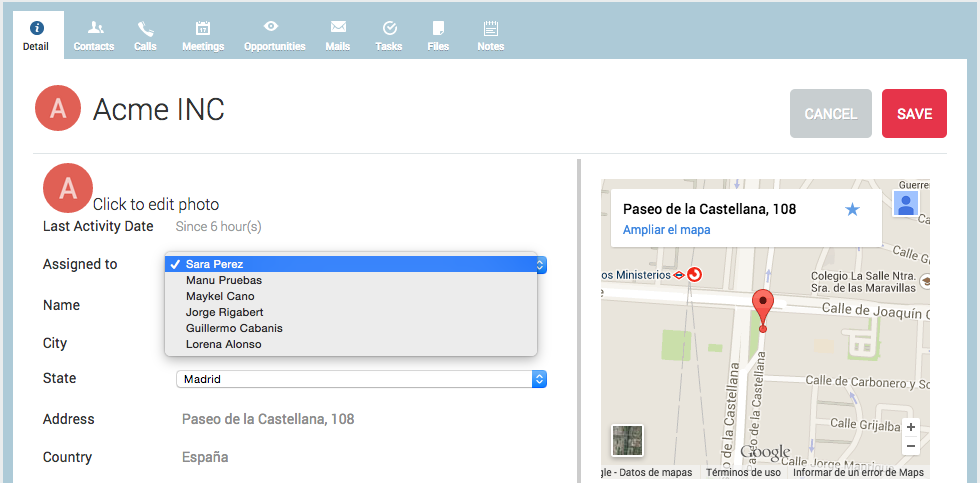
In the 'Assigned to' list we see all users in ‘arewedoing, regardless of the sub-organization they belong to.
Once you click on save, the user we have selected can see all the elements related with the account or contact (contacts, calls, emails, etc...).